
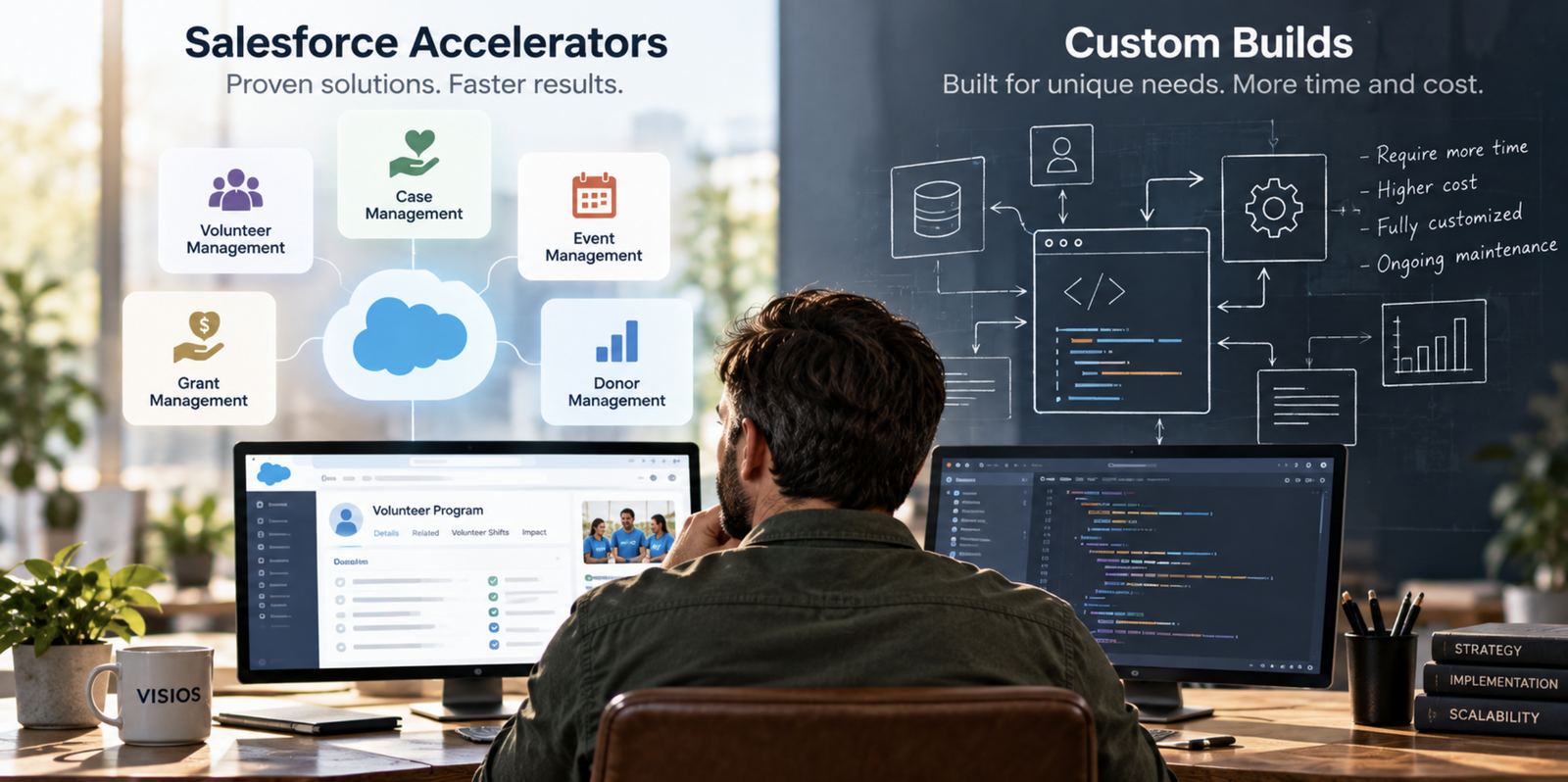
Many mid-sized organizations start a Salesforce project with high hopes and a clear budget. Twelve months later, the budget is gone, the launch date has slipped twice, and staff are still using the old system. The problem is rarely Salesforce itself. It is the decision to build everything from scratch. Salesforce accelerators offer a better path: proven, pre-built tools that deliver most of what you need on day one.
Why Custom Builds Stall
A fully custom build sounds appealing. Every screen designed exactly for your team. Every process matched to how you work today.
In practice, custom builds tend to run into the same obstacles:
- Discovery never ends. Every department adds requirements, and scope grows faster than the budget.
- Everything is new. Common needs like event registration or volunteer scheduling are designed, built and tested from zero, at full cost.
- Testing falls on staff. Your team becomes the first users of untested software, and early bugs erode trust.
- Maintenance is yours. Every custom feature must be maintained, documented and updated with each Salesforce release.
The result is a higher Salesforce implementation cost, a longer wait for value and lower adoption once the system finally launches.
The Accelerator Approach
The accelerator model pairs a solid Salesforce foundation with pre-built tools for the needs nearly every organization shares. Instead of designing event registration for the hundredth time, you start with a version that has already been used, tested and refined by organizations like yours.
This approach typically delivers about 80 percent of the functionality you need on day one. Your budget and your team's energy then go toward the remaining 20 percent: the processes that make your organization unique.
The benefits compound:
- Cost. You pay to configure and tailor, not to invent.
- Speed. Time-to-value is measured in weeks rather than quarters.
- Adoption. Staff learn tools that already work smoothly, which builds confidence from the first day.
- Longevity. Accelerators are maintained and improved over time, so you benefit from every enhancement.
Key Visios Accelerators
Bless Events: Registration, Ticketing and Check-In
Bless Events gives organizations event registration and ticketing that works natively with Salesforce. Attendees register and pay online, and every registration lands directly on the person's profile. On event day, QR code check-in moves lines quickly and shows staff exactly who has arrived.
Because registrations connect to the same records as giving and volunteering, your team can see which attendees are first-time guests, long-time supporters or potential volunteers, and follow up accordingly.
Bless.Giving: Online Giving with No Subscription Fee
Bless.Giving delivers simple, secure online giving built on Stripe, one of the most trusted payment platforms in the world. Supporters can give once, set up recurring gifts or commit to a pledge in seconds, and save payment methods for faster giving next time.
Bless.Giving charges no subscription fee. Organizations use their own Stripe processing rate plus a small per-transaction fee, so more of every gift reaches the mission. Every gift flows into Salesforce automatically, keeping finance and fundraising teams working from the same numbers.
Volunteer Management System (VMS)
Volunteers are among an organization's most valuable supporters, and managing them should not require a separate system. The Visios Volunteer Management System covers the full volunteer journey:
- Applications. People apply online, and screening steps are tracked automatically.
- Certifications. Training, background checks and expiration dates are monitored, with reminders before anything lapses.
- Shifts. Coordinators publish opportunities, and volunteers sign up, confirm or swap shifts themselves.
- Auto-scheduling and rosters. Schedules and rosters build automatically, and hours are recorded for reporting and recognition.
AI Automation with Agentforce and NextStep
AI is changing how organizations communicate, but only when it is applied carefully.
Agentforce, Salesforce's AI assistant platform, can answer common inquiries, route new contacts to the right staff member and summarize a person's history before a call. NextStep, Visios's marketing platform, helps teams plan multi-step email journeys and create on-brand content with AI assistance, so every new supporter or prospect receives timely, relevant follow-up.
Data privacy stays at the center. AI tools work within the same access rules your staff already follow, so sensitive information is only used where it is permitted. People remain in control of what is sent and when.
Choosing the Right Path
Custom development still has its place. Truly unique processes, specialized integrations and competitive differentiators may warrant a tailored build. The smartest organizations reserve custom work for those areas and use accelerators for everything else.
Before your next Salesforce project, ask:
- Which of our needs are common to most organizations like ours?
- Is there a proven tool that already handles them?
- Where does our budget create the most value: rebuilding the familiar, or perfecting what makes us unique?
See how this plays out for nonprofits moving to Nonprofit Cloud and for faith-based organizations.
Visios combines Salesforce expertise with a growing library of accelerators to help organizations launch faster, spend wisely and see results sooner. Let's talk about your fastest path to value.
Frequently Asked Questions
What is a Salesforce accelerator?
A Salesforce accelerator is a pre-built, proven tool for a common need, such as event registration, online giving or volunteer management, that can be configured for your organization instead of built from scratch.
Are accelerators less flexible than custom builds?
Not usually. Accelerators cover the shared needs, and your organization can still tailor processes and add custom features where they matter most.
Does Bless.Giving have a subscription fee?
No. Bless.Giving has no subscription fee. Organizations pay their Stripe processing rate plus a small per-transaction fee.
How does AI protect our data?
AI tools work within your existing access rules, so they only use information that the person or process is allowed to see.